
How Do You Choose a Tablet for Long Gaming Sessions?
A tablet that feels perfect in a ten-minute shop demo can be a different device in the third hour of a real session, because long play asks questions that short tests never reach. How does the weight feel at minute ninety? Where does the heat go? What does the battery say when the evening is young? Choosing a tablet for long gaming sessions means answering them before buying, and the answers cluster in three areas: how the device sits in your hands, how it manages heat and power, and how the screen treats eyes that have been on it for a while.
Holding It Comfortably
Weight and Balance
Weight is the specification a gaming tablet for long sessions has to get right, and how it is distributed matters as much as the number. . A tablet that balances near its centre feels lighter than the same weight piled at one end, and over an hour the difference compounds into the difference between playing on and putting it down. The trend among large tablets is genuinely helpful here: the best of them now pack big screens and batteries into slim chassis around 595 grams, and the HONOR MagicPad3 is one—about 5.79 mm thin—which would have been unheard of a few years ago. Hold the device the way you actually play, not the way a display stand does, and the truth arrives quickly. Ninety minutes is the honest test, because that is when comfortable geometry stops covering for weight.
Grip and Case Choice
Grip decides where that weight is felt. Smooth glass edges encourage a tight hold, while a case with texture or a slight ridge lets the hands relax, and over a long session the relaxed hold is worth more than any other accessory. A case adds weight, so the pairing matters: a light tablet in a protective case is often better for evening play than a lighter tablet held bare and anxiously. Try the combination before committing, because the case you choose will spend more hours in your hands than the tablet spends out of them. A case with a fold-out stand also earns its keep here, since it turns held play into propped play whenever the arms want a break.
Staying Cool and Charged
Heat Management Over Time
Heat is the quiet difference between a good first hour and a good third hour. Sustained play pushes a chip hard, and when the temperature climbs the frame rate drops no matter what the hardware promises, which is why serious gaming hardware spends real design effort on cooling. Systems with many stacked cooling layers, such as the thirteen-layer stacks some gaming tablets now use, move heat away from the chip and out through the chassis, so the performance curve stays flat while the session continues. It is the least visible specification on the sheet and the one that decides whether the device feels the same at the end of the evening as at the start, which is a better definition of endurance than any single number.
Battery Life and Charging Speed
Battery capacity is the other half of endurance. Long sessions are what large cells are for, and the HONOR MagicPad3 pairs a 12,450 mAh silicon-carbon battery with 66 W fast charging, which turns a full evening of gaming into a normal activity rather than a countdown, and quick top-ups close the gap whenever a break appears. The pair matters because gaming is rarely scheduled: the session runs long when it is going well, and a top-up over dinner should be enough to carry the night. Check both numbers together, because either one alone leaves the evening shorter than intended. A large battery with slow charging runs out of evening eventually; fast charging with a small cell never starts the second film.
Keeping the Screen Comfortable
Size and Brightness
Screen comfort in long sessions is mostly about scale and light. A larger display lets eyes relax, because everything you need is readable without leaning in, and a bright panel keeps the picture steady when the room light changes through an evening. Around 400 nits handles indoor play and shaded rooms comfortably, and brightness that adjusts smoothly matters more in long sessions than in short ones, since the eye notices gradual strain long before it names it. Resolution supports the same goal: a sharp panel keeps small text and distant detail legible without effort, and sharpness at a large size is exactly what stops the eyes from working harder than the game requires.
Eye Comfort Settings
The features designed for tired eyes earn their keep precisely when the session runs long. Flicker-free dimming, low-blue-light modes and reading modes all reduce the quiet strain that builds over hours, and eye comfort certifications from an independent body such as TÜV Rheinland are a useful signal that the work has been done properly. None of them changes the game; all of them change how you feel afterwards, which for a long-session device is part of the specification. Set them up on day one, because a comfort mode you have to find at midnight rarely gets used. The settings take five minutes, and they pay out on every long session that follows.
Conclusion
Comfort in the hands, endurance in the battery and mercy from the screen are what a long-session tablet really has to deliver, and each can be checked before buying. Hold it the way you play, read the cooling and battery numbers together, and look for eye-comfort work that someone has certified. Do that and the third hour of the session will feel like the first, which is the entire point of choosing carefully. Long sessions are the reason this category of device exists, and the device that survives them is the one worth carrying home.
-
Más reciente
 Which Phone Features Matter Most Day to Day?
Most buying advice is written for the afternoon you buy, not for the two years that follow. The parts that decide those years are unglamorous: whether the screen is still comfortable to hold at seven...
-
Próximo
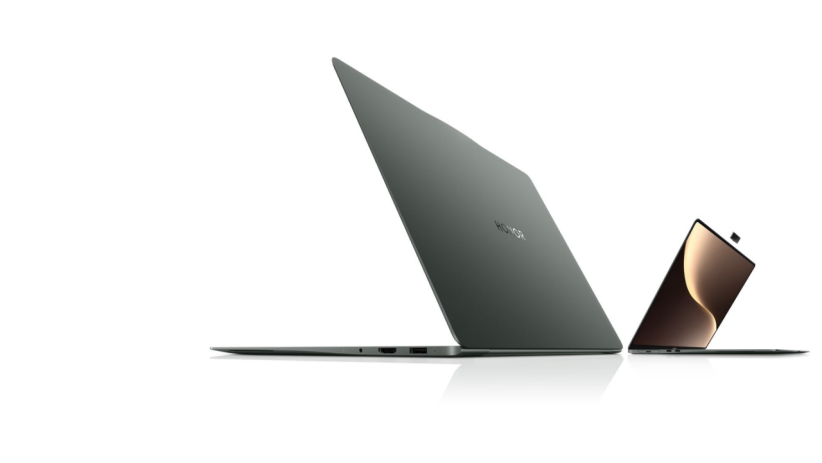 How Does a Touchscreen Change Daily Laptop Use?
Ask what a touch screen actually changes on a laptop and the honest answer is: quietly, and more than expected. Nothing about the work itself is different, and yet a dozen small moments in the day go...
articulos populares
- How Does a Touchscreen Change Daily Laptop Use?
- How Do You Choose a Tablet for Long Gaming Sessions?
- Which Phone Features Matter Most Day to Day?
- How Often Should the Average Person Upgrade Their Smartphone?
- Why Does Refresh Rate Matter Beyond Smooth Scrolling?
- What Makes a Smartphone Feel “Comfortable” to Use Daily?